Detect toilets
Toilet detection · model toilet-detector
/v1/drawings/detection/toiletsDetect toilets and plumbing fixtures in architectural floor-plan PDFs. Accepts a previously uploaded document_id, enqueues inference, and returns a job you poll for results. Detections are returned as bounding boxes in PDF coordinate space along with a per-detection confidence score.
- Returns
- A job to check202 Accepted
- Usage
- Element detectionper sheet
- Results in
- A list of toiletsresult.toilets
- Auth
- API keyX-API-Key header
Free-tier toilets detection typically completes in 2–4 minutes per job. Processing time scales mainly with page count and drawing complexity — a dense multi-page set takes longer than a single sheet.
Accuracy note: The toilet detector achieves a mAP@0.5 of 0.70 with an average recall of ~47%. It reliably detects standard upright fixture symbols but may miss rotated or non-standard representations. We recommend treating results as a starting point for review rather than a complete count.
Need it faster? Developer and Enterprise plans run detection on dedicated GPU infrastructure. Upgrade your plan
Example
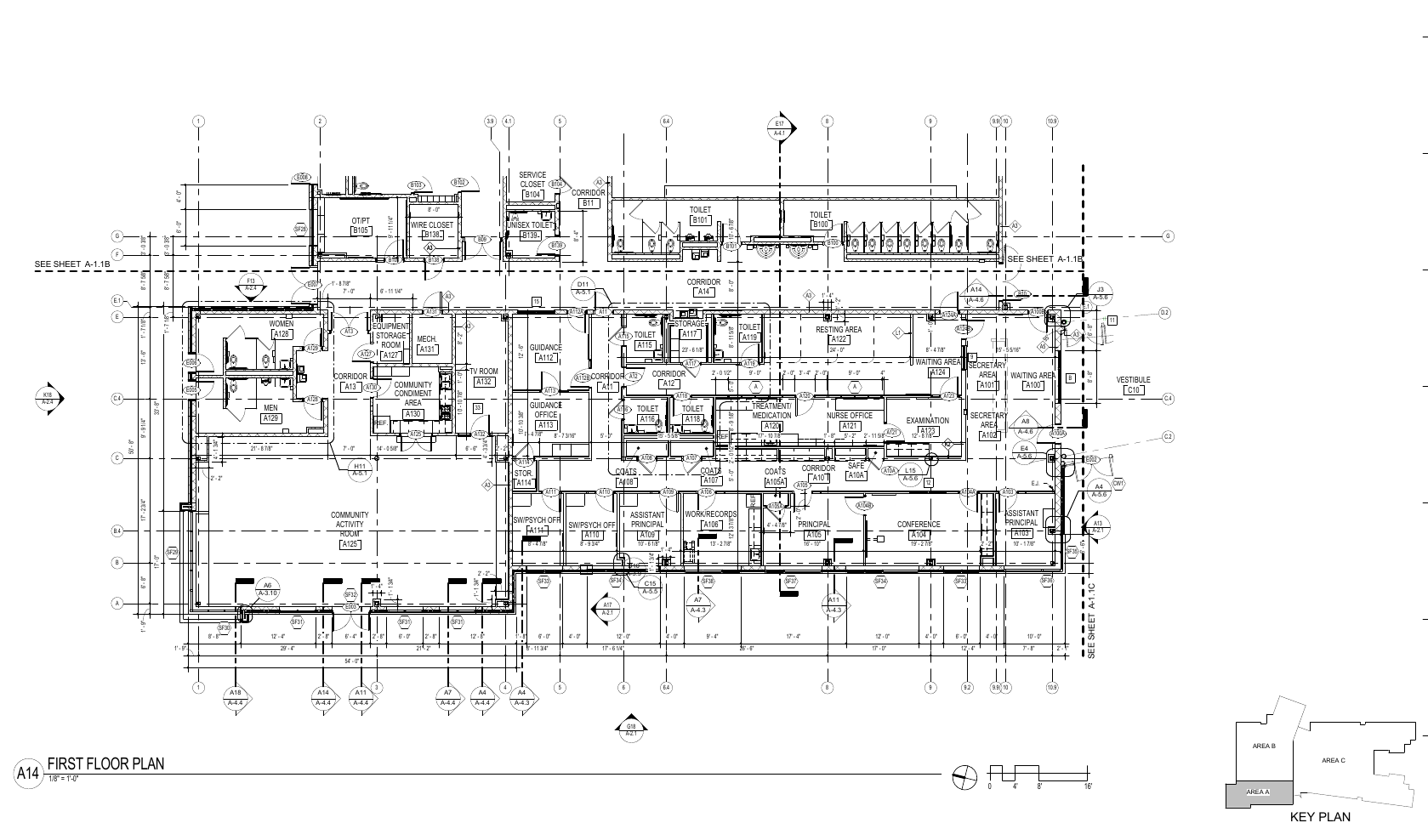
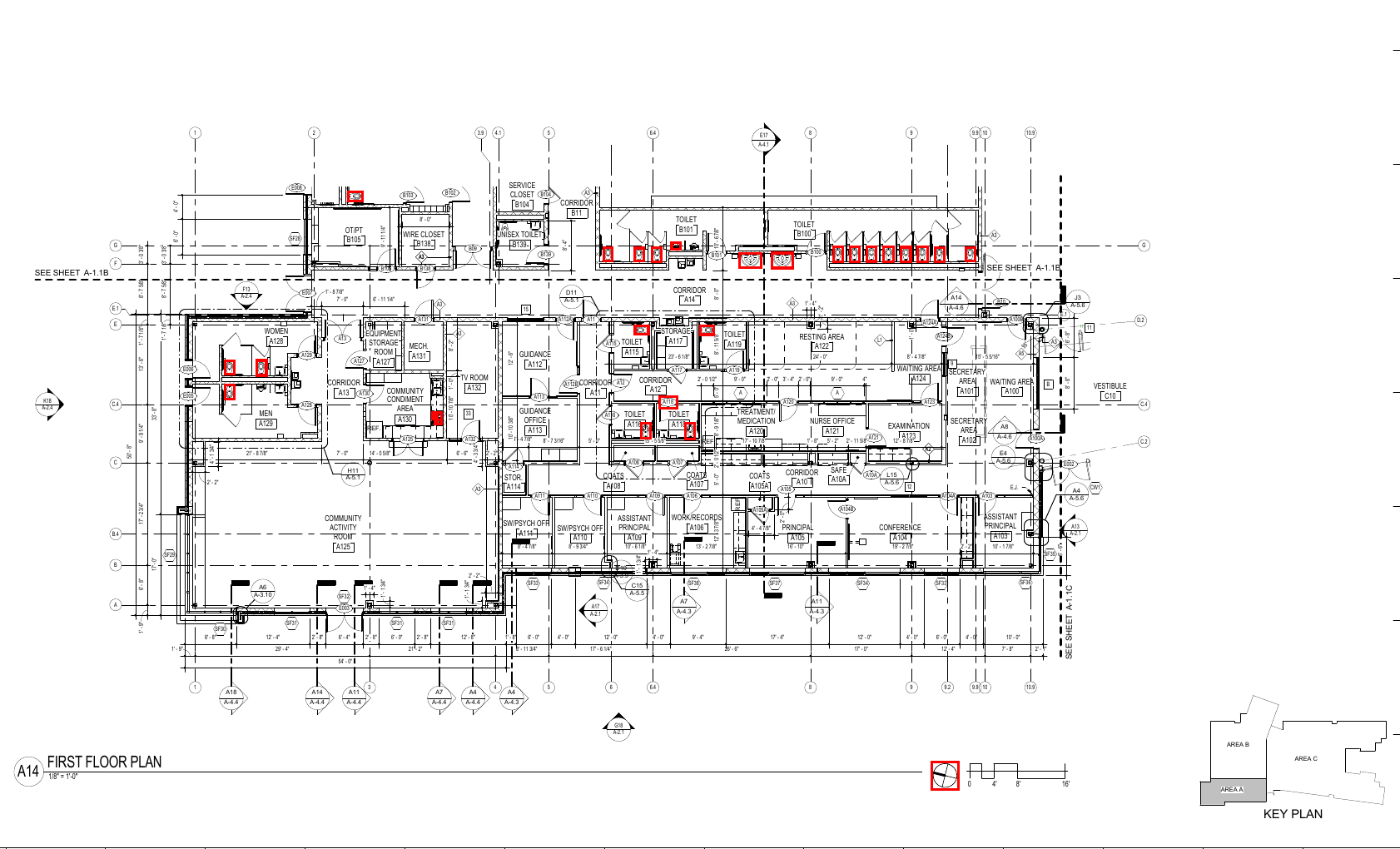
How it runs
- Send a
document_id - Get a
job_id - Check your results or receive a webhook
Request
document_id. Upload your PDF first.Body is JSON — this endpoint does not accept file uploads directly.
| Field | Description |
|---|---|
document_idstring · UUIDRequired | ID of the uploaded PDF. Must belong to this account and not be expired. |
page_numbersarray of integersOptional | 1-based page indices to scan. Omit to scan all pages. Out-of-range values are skipped by the worker but still counted. |
webhook_urlstring · URLOptional | URL to POST the completed job payload to. Delivered on developer, pro, and enterprise tiers only. |
| Header | Description |
|---|---|
X-API-KeyRequired | Your API key. A missing or invalid key returns 401. |
Content-TypeRequired | application/json |
page_numbers (or every page of the document when omitted) is one element detection, not only the pages that contain toilets. Send only valid page indices.Responses
The job is enqueued immediately. Poll GET /v1/jobs/{job_id} until status is complete or failed.
| Field | Description |
|---|---|
job_idstring · UUID | Use this to poll for results. |
statusstring | Always queued on this response. |
poll_urlstring | Path only — prepend https://api.anchorgrid.ai to build the full URL. |
When status is complete and model is toilet-detector, the result field on the job contains:
| Field | Description |
|---|---|
document_idstring | UUID of the source document. |
toiletsarray | List of toilet detections. Each item has id, page, bbox, and confidence. |
toilets[].idstring | Stable identifier — "tlt_" + 12 hex chars. |
toilets[].pageinteger | 1-based PDF page index where the fixture was detected. |
toilets[].bboxobject | Axis-aligned bounding box in PDF coordinate space: x1, y1, x2, y2. |
toilets[].confidencefloat | Model confidence score for this detection, between 0 and 1. |
toilets_foundinteger | Count of items in the toilets array. |
pages_analyzedinteger | Number of pages the worker actually scanned. |
model_versionstring | e.g. toilet-detector-v1.0.0 |
processing_time_msinteger | Wall time for the inference task. |
confidence score. Scores above 0.5 are high-confidence fixtures. Lower-confidence detections (0.12–0.5) may warrant manual review, particularly for rotated or non-standard fixture symbols.Usage & rate limits
Each page scanned is one element detection (See pricing). Rate limit: tier RPM (5 / 60 / 120 / 300).
| Plan | When the allowance is used up |
|---|---|
trial | Trial allowance — 402 FREE_TIER_LIMIT_REACHED when used up, 402 TRIAL_ENDED once the trial is over. |
developer | Monthly allowance, then overage up to your overage limit — 402 OVERAGE_LIMIT_REACHED at the limit (429 QUOTA_EXCEEDED when the allowance is used up without overage billing). |
enterprise | No allowance check. |
Rate-limit 429s include retry_after_seconds in the body. Quota 429s and rate-limit 429s return the same status code — check the error body to distinguish them.
Errors
| Status | What it means |
|---|---|
| 401 | Missing or invalid X-API-Key. |
| 402 | Trial allowance used up. |
| 404 | document_id not found or expired. |
| 422 | Validation error — malformed UUID or invalid body. |
| 429 | Rate limit or monthly quota exceeded. |